

Every order,
from QR scan to
kitchen pass.
WebKotx runs the whole service — digital menu, kitchen tickets, staff roles, inventory, and the dashboard that ties it together. One system, built by watching how a real kitchen actually moves.
Four stations. One system.
Every screen matches a real job in the restaurant — nobody sees a feature they don't need for their role.
Where the order starts
Guests order themselves. Staff just watch it land.
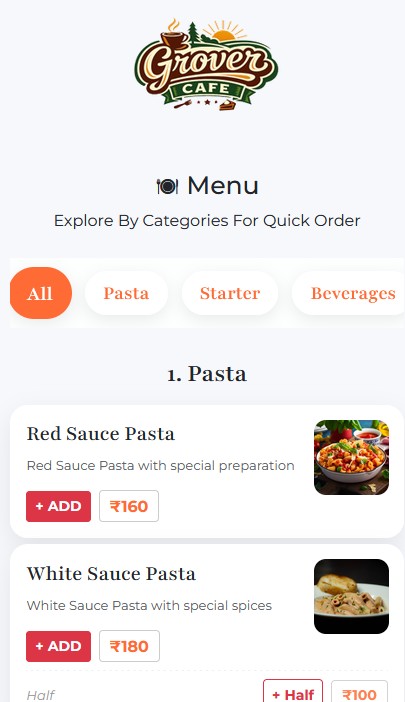
QR Digital Menu
Scan, browse, and order straight from a phone — no app to install.
WhatsApp Handoff
Orders and confirmations land in the restaurant's own WhatsApp.
5 Ordering Modes
Dine-in, pickup, vehicle/drive-in, room service, and home delivery.
Ordering Hours & Access
Geofenced hours and QR-only access keep the menu open exactly when it should be.
Where the order is cooked
Tickets arrive, get accepted, and move — with a timer on every one.
Live Kitchen Board
Every ticket, sorted by status, updating without a page refresh.
Kitchen Display System
A tablet-built screen for the pass — big touch targets, sound alerts, nothing else.
Accept → Prepare → Ready
One tap per stage. Prep time is tracked automatically, ticket to ticket.
New-Order Alerts
A ticket that just landed pulses and rings until someone accepts it.
Where staff take orders
Captains, counters, and quick sales — each with their own screen.
Captain Table Ordering
A table-side screen built for speed — grid, cart, and send in three taps.
Quick Orders
Split-screen counter sales with the live kitchen board right beside it.
Split Billing
Cash, UPI, and card in one payment, divided any way the table needs.
KOT & Invoice Printing
Configurable for 58mm, 72mm, and 80mm thermal printers, per device.
Where the owner watches
Every branch, every rupee, every stock count — one dashboard.
Sales Dashboard
Revenue, payment split, and top items, live and by date range.
Tax & GST Management
Item and category-wise tax rules, with a proper GST payment record.
Inventory & Recipes
Stock auto-deducts as recipes get ordered — no manual counting.
Multi-Branch
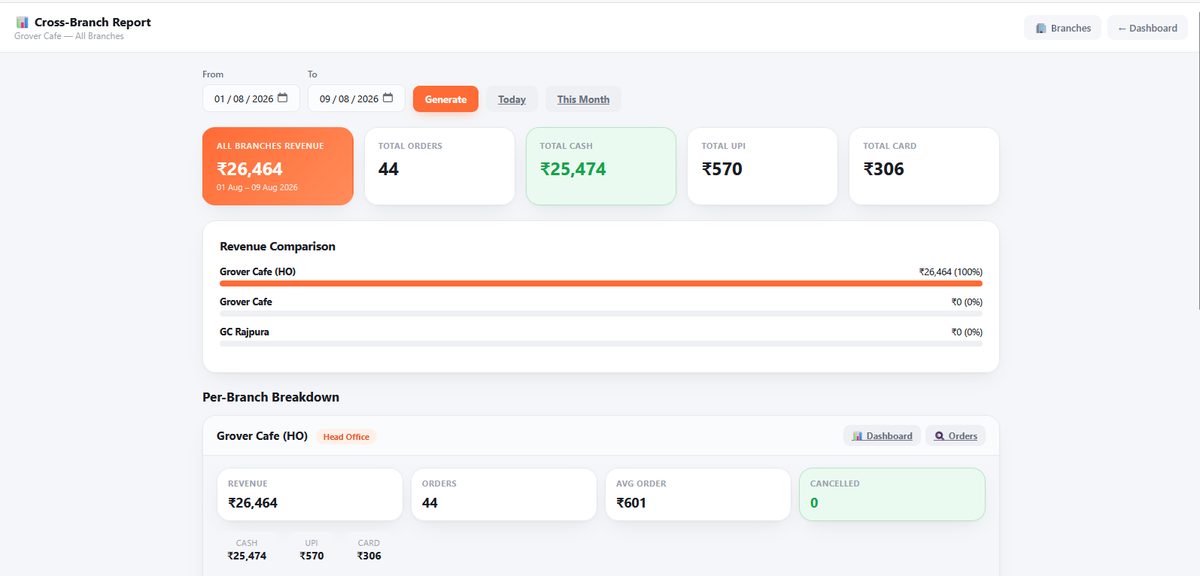
Shared or overridden menus and prices, with cross-branch reporting.
Every screen,
one loop.
Ten real screens from a live restaurant, watching themselves. Tap a tab to jump straight to one, or let it run.
zero mockups
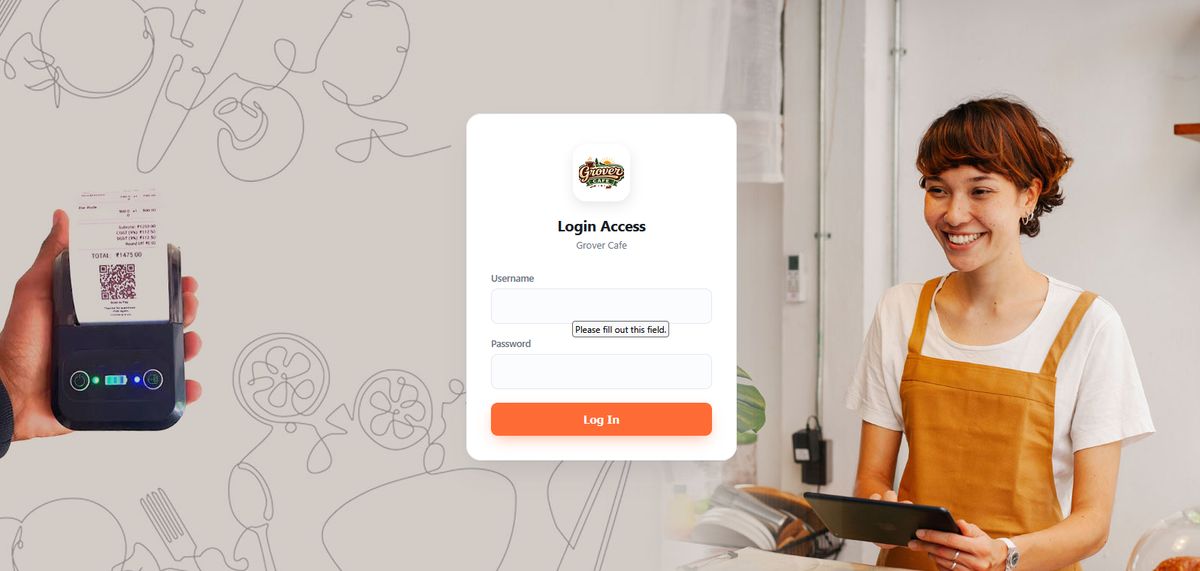
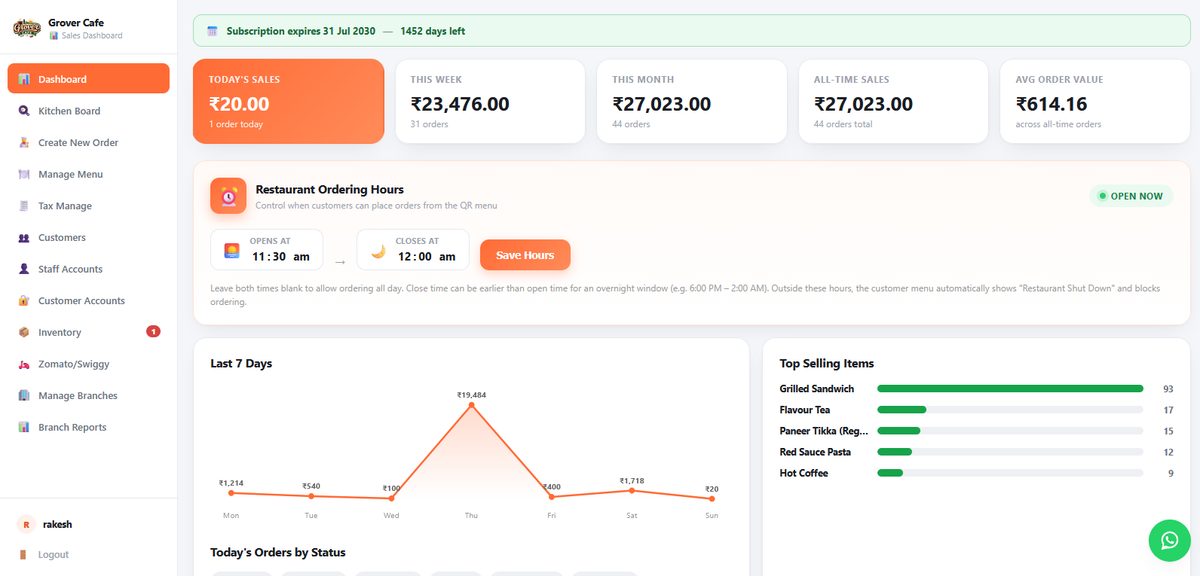
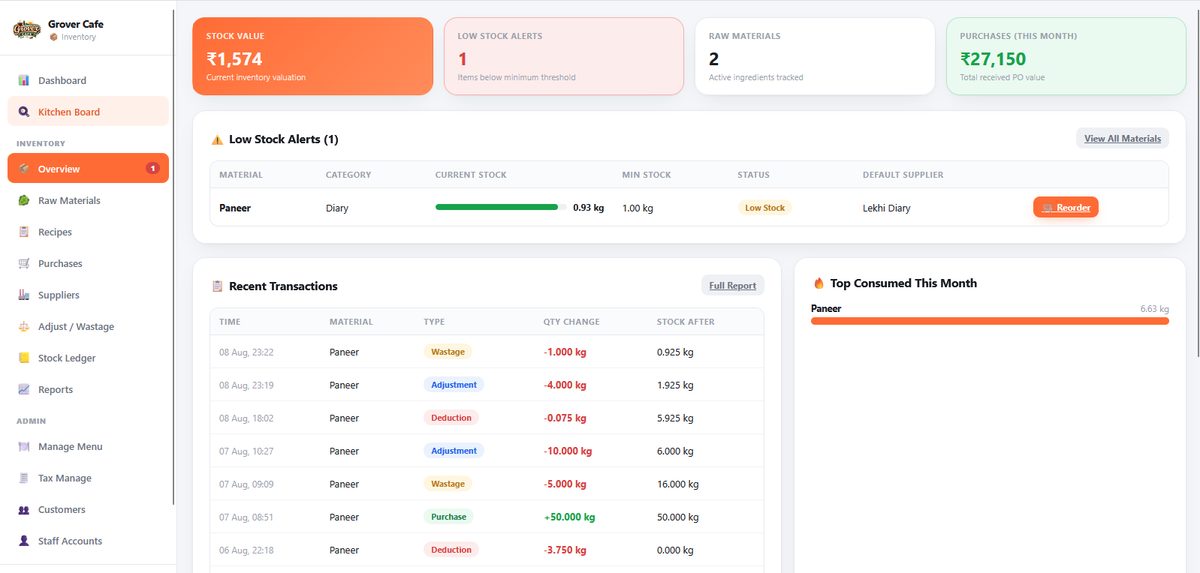
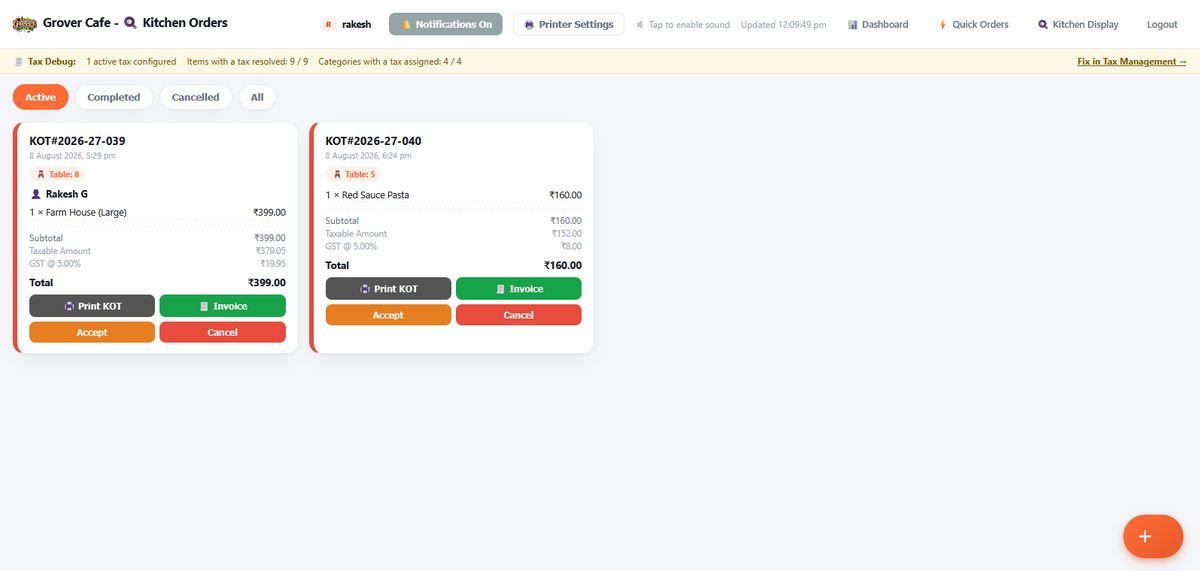
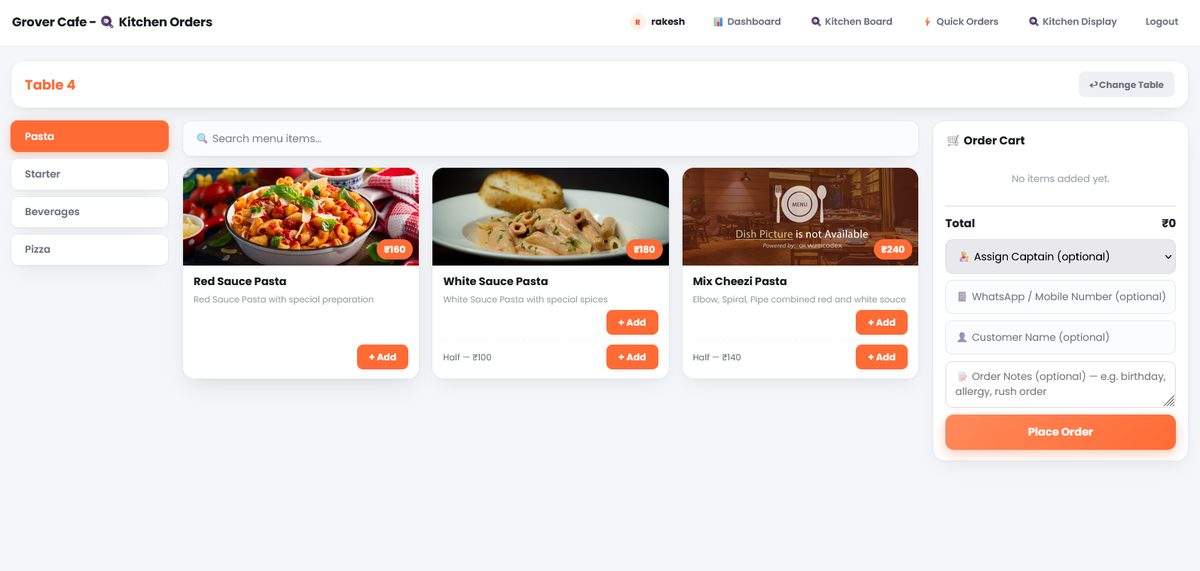
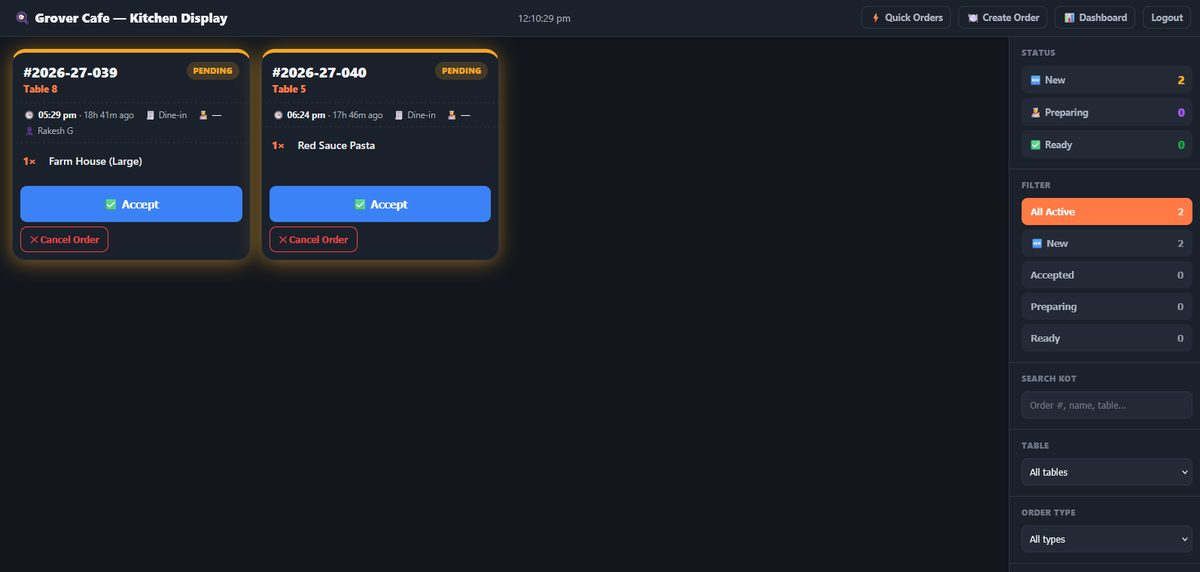
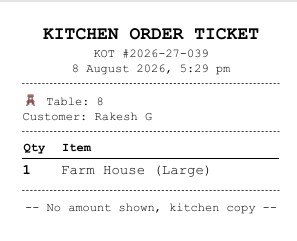
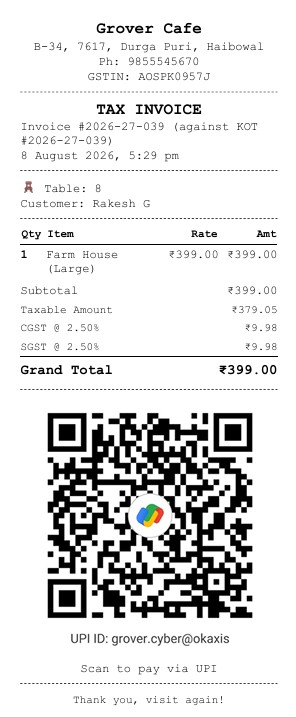
Four steps. No shouting across the pass.
Guest orders
Scan the table QR, browse the menu, order straight from the phone.
Kitchen sees it
The ticket lands on the Kitchen Board and Kitchen Display in under a second.
Staff move it
Accept, prepare, ready — one tap per stage, on whichever screen fits the role.
Owner watches
Sales, tax, stock, and every branch roll up into one dashboard.
Priced by what you turn on.
Every plan includes the QR menu and kitchen board. Higher tiers add the screens and reporting a growing kitchen needs. (Figures below are a starting point — happy to quote against your actual outlet count and add-ons.)
- ✓ QR Digital Menu + WhatsApp ordering
- ✓ Captain table ordering
- ✓ Live Kitchen Board (KOT)
- ✓ Up to 3 staff logins
- ✓ KOT + invoice printing
- ✓ Everything in Starter
- ✓ Kitchen Display System (tablet)
- ✓ Quick Orders counter screen
- ✓ Sales Dashboard + Tax/GST management
- ✓ Inventory, recipes & auto stock deduction
- ✓ Customer directory
- ✓ Unlimited staff logins, all 5 roles
- ✓ Everything in Growth, every outlet
- ✓ Shared or overridden branch menus & pricing
- ✓ Cross-branch reporting
- ✓ Zomato / Swiggy order integration
- ✓ Priority support & onboarding
| Feature | Starter | Growth | Multi-Branch |
|---|---|---|---|
| QR Digital Menu & WhatsApp ordering | ✓ | ✓ | ✓ |
| Captain table ordering | ✓ | ✓ | ✓ |
| Live Kitchen Board (KOT) | ✓ | ✓ | ✓ |
| Kitchen Display System (tablet) | — | ✓ | ✓ |
| Quick Orders counter screen | — | ✓ | ✓ |
| Split billing (Cash / UPI / Card) | ✓ | ✓ | ✓ |
| Sales Dashboard | — | ✓ | ✓ |
| Tax / GST management | — | ✓ | ✓ |
| Inventory & recipe auto-deduction | — | ✓ | ✓ |
| Customer directory | — | ✓ | ✓ |
| Staff roles (Manager / Captain / Operator / Chef / Menu) | 3 logins | Unlimited | Unlimited |
| Multi-branch menu & pricing | — | — | ✓ |
| Cross-branch reporting | — | — | ✓ |
| Zomato / Swiggy integration | — | — | ✓ |
See it running on your own menu.
Tell us about the restaurant and we'll walk you through WebKotx on a call — Kitchen Board, Captain screen, and dashboard, using your actual menu items.
- 20 minthat's usually all it takes
- No installeverything runs in the browser
- Your menuwe set it up before the call
Your email app should be open
We've filled in a message to hello@webkotx.com with your details — just hit send from there to reach us.
Before you ask.
Do we need new hardware?
No — WebKotx runs in the browser on whatever phone, tablet, or till you already have. Thermal printers connect over Bluetooth or USB.
Can staff only see what's relevant to them?
Yes. Manager, Captain, Operator, Chef, and Menu Manager roles each get their own screen and nothing more.
What if our internet drops?
The Kitchen Board and Display keep showing the last synced tickets, and catch up the moment the connection returns.
Can we move between plans later?
Yes, any time — most kitchens start on Growth and add Multi-Branch when a second outlet opens.